Sign in to manage orders, track deliveries & stay updated on your illustration progress.
You wrote the story and got the illustrations. Now comes the technical hurdle. A children's book with cut-off text, wrong bleed, or blurry images gets rejected by Amazon KDP instantly. We handle the technical pixels — print-ready PDF, fixed-layout ePub, full-bleed spreads — so your book passes review on the first upload.
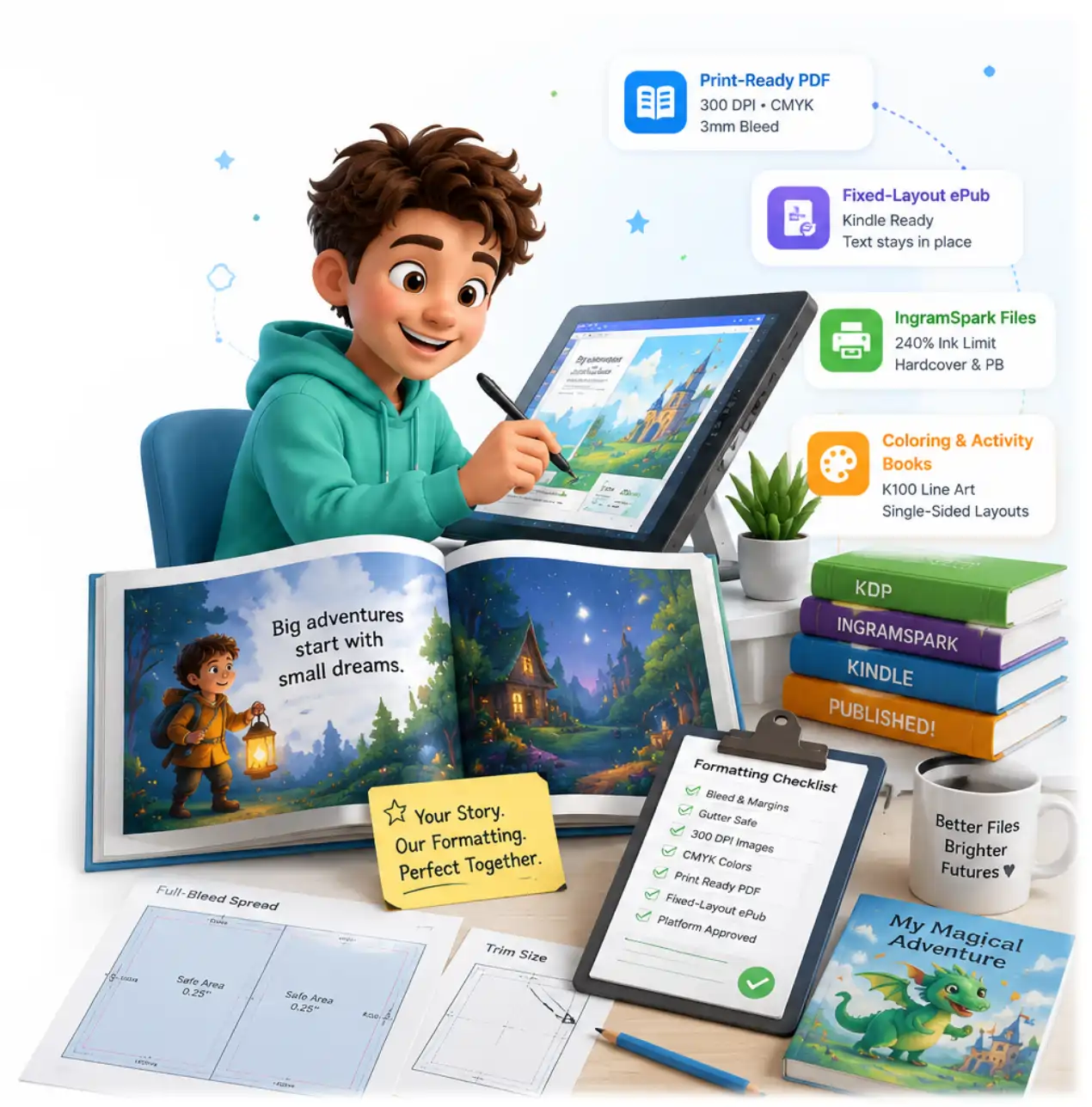
Illustrated children's books are the hardest format to lay out — art spans two pages, text sits on top of images, and every platform has different rules. We produce all of it.
Print-ready PDF with correct trim, 0.125" bleed, gutter-safe margins, and 300 DPI images — built to pass KDP review first time.
Kindle-ready fixed-layout ePub that locks text and illustrations together on every device — the format picture books actually require.
Separate CMYK files at the stricter 240% ink limit, with correct spine calculation and cover template for hardcover and paperback.
Pure K100 line art, single-sided layouts to stop marker bleed-through, and correct margins for the activity type.
Pick the package that fits your project. All packages include our 100% first-upload KDP approval guarantee.
Page counts above 32 pages? Coloring books? Need rush delivery?
Calculate your custom price →
The exact settings that decide whether your file is approved or rejected. We set every one of these correctly — no guessing, no rejected uploads.
| Setting | Correct Value | Why It Matters |
|---|---|---|
| Bleed | 0.125" (3 mm) | Full-bleed illustrations must extend past the trim so no white edge shows after cutting. |
| Safe margin | ≥ 0.25" inside trim | Text and key art kept clear of the cut edge to avoid being sliced off. |
| Gutter clearance | +0.25" inner edge | Extra space so faces and key elements aren't lost in the binding. |
| Image resolution | 300 DPI | Below 300 DPI, KDP flags images as low quality and print looks blurry. |
| Colour profile | CMYK | RGB art shifts colour in print; CMYK matches screen to paper. |
| IngramSpark ink limit | 240% max | Ingram rejects heavier ink coverage that KDP would accept. |
| Print file | PDF/X, flattened | Flattened transparency prevents rendering errors at the printer. |
| eBook layout | Fixed-layout ePub | Keeps text on the correct illustration; reflowable would break the page. |
Already have a rejected file? Send it over — we diagnose and fix it →
Whether you hire us or attempt it yourself, this is the professional workflow that gets a picture book approved on the first upload.
Pick your trim size (e.g. 8.5×8.5 square) before final art, then confirm exact page count so spine and cover can be calculated.
Add 0.125" bleed on outer edges; keep text and key art ≥0.25" inside trim, with extra clearance at the gutter.
Split single artworks across two pages so no face or key element falls into the binding, accounting for gutter loss.
Convert RGB to correct CMYK profile (240% for Ingram), flatten transparency, export print-ready PDF/X.
Create a fixed-layout ePub so text and illustrations stay locked together on every Kindle device.
Order a physical proof to check colour and trim, then upload the print PDF and cover to KDP and IngramSpark.
Microsoft Word and free KDP templates work reasonably well for a novel — flowing text, simple margins, no bleed. A children's book is a completely different problem. Illustrations run edge to edge, text sits directly on top of art, and a single image often stretches across two facing pages. The moment you introduce full-bleed art and layered text, Word's page model falls apart: images shift, resolution drops on export, and the "bleed" that KDP demands simply isn't there. This is why so many first-time authors upload three or four times and still get rejected.
After formatting over 1000 children's books, the pattern is predictable. Files get rejected for missing bleed, images under 300 DPI, the wrong trim size, text sitting inside the gutter safe zone, or RGB colour where CMYK was required. Each one is invisible on screen and obvious to Amazon's automated check. A professional formatter builds to spec from the start, so the file passes on the first upload instead of the fifth.
The double-page spread is the signature of a great picture book — and the hardest thing to format. The artwork has to be split precisely down the middle, with enough allowance that a character's face never disappears into the binding. Get the gutter maths wrong and the printed spread looks misaligned, with a visible seam or a lost element right at the fold. We build spreads as a single artwork and then split them with the exact gutter compensation for your trim and page count.
Many authors export a normal ("reflowable") ePub and are baffled when the text drifts away from the illustration on a reader's device. Illustrated children's books need fixed-layout ePub, which locks every word to its exact position over the art — the digital equivalent of the printed page. It's a different build process, and each retailer (Amazon, Apple, Kobo) has its own fixed-layout requirements. We produce the versions you actually need to sell.
Verified reviews from authors we've helped specifically with formatting and file rejection fixes.
★★★★★"4th time using Aadil! Goes above and beyond, helped tremendously with formatting. Will continue to use him."
★★★★★"Was having problems with the final part formatting my book. Aadil was very helpful and completed what I needed very fast. Would definitely recommend."
★★★★★"Second time using his services. Delivered quality work again. Quick and happy to help with changes. Will definitely use his services again."
The technical questions authors ask most before sending a book for formatting.
Print-ready KDP PDF, fixed-layout ePub, and IngramSpark files — built to pass review on the first try. Free quote in 24 hours, and we fix rejected files too.